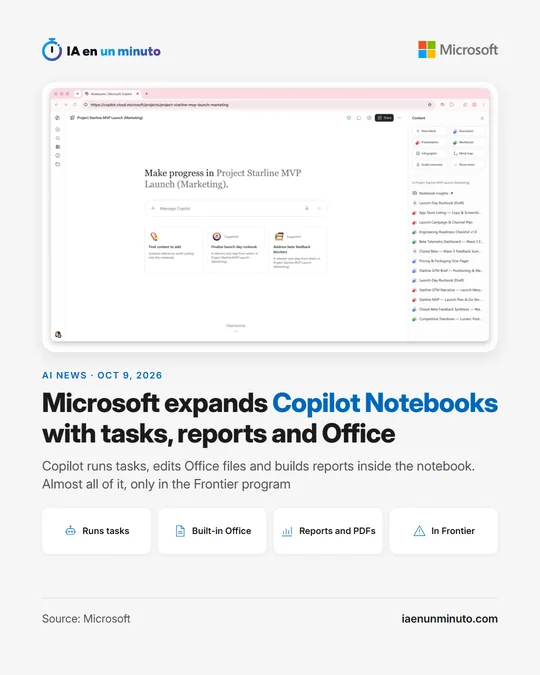
Microsoft expands Copilot Notebooks with tasks, interactive reports and Office inside the notebook
IA en un minuto newsroom · Editor: Jon Elgezabal
In 30 seconds
Microsoft has overhauled Copilot Notebooks: the assistant now handles basic chores, tweaks Word, Excel or PowerPoint files without leaving the notebook and builds interactive reports and PDFs. The scheduled routines, notebook setup from a description and the improved audio will follow within weeks. Not everything is open yet: with minor exceptions, what has shipped is limited to Frontier, the company's early access program.
Microsoft announced on Friday, October 9, a batch of updates for Copilot Notebooks, the notebooks of its AI assistant: a workspace for a project or a topic that gathers documents, emails and meetings so that people can ask Copilot questions and turn the answers into outputs that can be shared. According to the post published on its Copilot blog, the update is meant for creating the notebook, working with the assistant and preparing files without leaving it. The previous round of notebook updates, linked at the end of the post, dates from June.
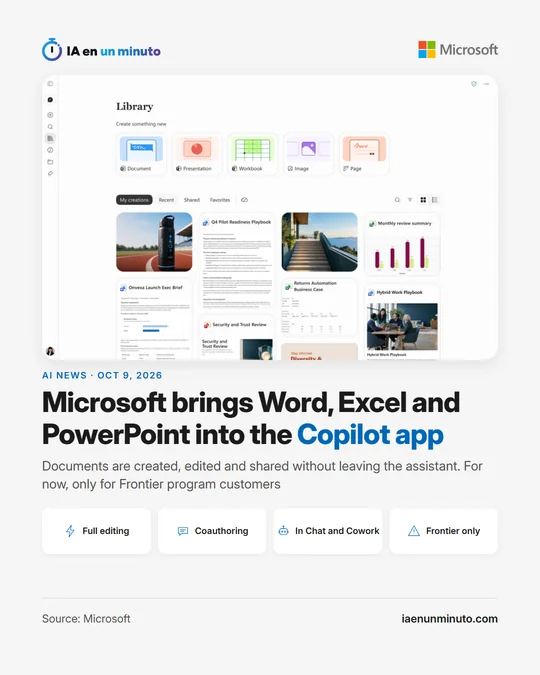
The most visible change is that Copilot now carries out simple tasks. It can manage references and keep the notebook current, synthesize information across the project and create or edit single Word, Excel or PowerPoint files from the chat. It is also possible to pick the AI model that answers, either by asking it to think deeper or by choosing a specific GPT model (Microsoft says more models are coming), and to decide whether Copilot responds only with what is in the notebook or also with the rest of the user's work and the web.
Documents are viewed and edited inside the notebook itself, by hand or by prompting Copilot (an intro paragraph, bullet points, a graph or a change of fonts and colors, for example), and other people can be invited to keep working on the same file. Beyond the Office formats, notebooks create interactive reports (visual reports edited with the team and with Copilot, aimed at data trends or monthly updates) and PDF files from their content, such as a one-pager.
To set up a notebook, describing the goal to Copilot will be enough: the assistant will pull together references from the user's work data and the web, so the notebook starts out already filled with material. Markdown, TXT and RTF files are now accepted as references, which according to Microsoft makes it possible to include documentation, notes, logs and transcripts alongside documents, emails and meetings. The refreshed interface, in the Microsoft Copilot app and in OneNote, allows content to be grouped and reordered from the navigation pane.
It will be possible to schedule recurring tasks (a daily morning brief or a weekly status deck), with templates, settings for frequency and instructions, and a view of active and inactive automations. Audio overviews are changing too: they will draw on more reference types (Outlook emails, Teams meetings and chats, OneNote and Loop pages, plain text files), offer new formats such as "Critique and Debate" and topic-based episodes, and can be saved to OneDrive.
Not everything arrives at once or for everyone. The new interface, simple tasks, model choice, Office editing, interactive reports and PDFs are available now, but only in Frontier, the program through which Microsoft gives early access to experimental AI features. In the next few weeks Microsoft will add notebook creation by describing the goal to Copilot, scheduled tasks and the audio overview updates. Generally available, that is, outside that program, are Markdown, TXT and RTF files as references and the Word, Excel or PowerPoint files that Copilot suggests creating based on the notebook content. The post presents the whole set as an update coming to Frontier "in the coming weeks" and then spells out, section by section, what already works. It gives no prices or countries, and does not say when the features that are Frontier-only today will reach everyone else.
Why it matters · analysis and opinion
Until now, a Copilot notebook was mostly a place to gather material and ask questions about it. With this update it starts to look like a workstation: documents get fixed and reports get built in the same place, and part of the routine work can be left to the assistant. For a small team running a project across emails, meeting notes and spreadsheets, that saves the back-and-forth between apps. The fine print matters: most of it is reserved for the early access program, the most eye-catching piece (scheduled tasks) has not arrived yet, and Microsoft gives no price or date for everyone else. Anyone already using notebooks can take advantage today of what is generally available, such as adding notes and transcripts in plain text; the rest calls for waiting before reorganizing any work.
Official source: Microsoft · Written with the help of AI: how we make the news