ChatGPT launches a presentations feature (Slides) for Pro, Business and Enterprise plans
IA en un minuto newsroom · Editor: Jon Elgezabal
In 30 seconds
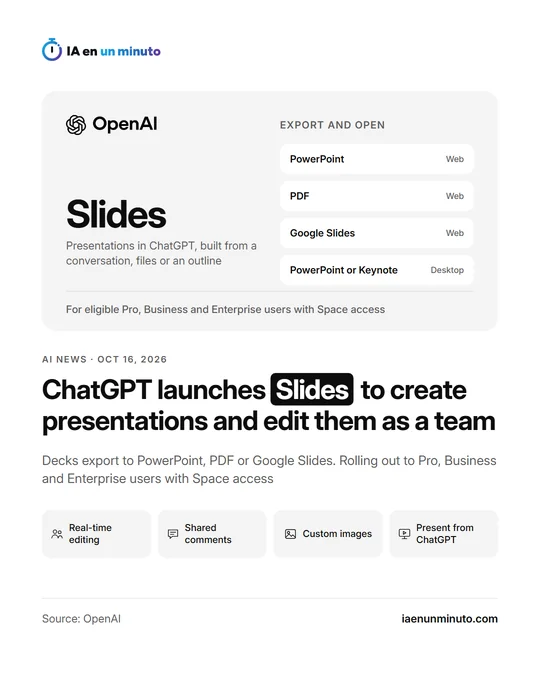
OpenAI is bringing Slides to ChatGPT, a tool that builds presentations from a chat, documents or an outline and keeps them in Space. A team can edit them together, comment on them and ask ChatGPT for changes or new images. Web users can save them in PowerPoint, PDF or Google Slides format, and for now it is reaching people on Pro, Business or Enterprise with Space access.
OpenAI has introduced ChatGPT Slides, a feature for building presentations inside ChatGPT and continuing to work on them with a team. It appears in the company's release notes for Friday, October 16. The presentations are kept in Space, the area ChatGPT launched on September 29 to bring a project's Pages, files and other work together in one place, and which takes the place of Library on accounts that have it.
A deck can be started from a conversation, from some files or from an outline. A sample presentation can also be shared so that ChatGPT picks up its style and layout.
Text, images, shapes and charts can be changed by hand or by asking ChatGPT, which can also generate custom images; people can add their own as well. Several team members can work on the same presentation in real time and leave shared comments.
Presentations can be shown from within ChatGPT itself. On the web they can be exported as PowerPoint, PDF or Google Slides files; in the desktop app they open in PowerPoint or Keynote, as long as those programs are installed.
The rollout covers Pro, Business and Enterprise plan users who meet the requirements and have access to Space, both on the web and in the desktop app. To start, users ask ChatGPT, in Work mode, to create a presentation in Space.
Since July 6, ChatGPT has also been generally available as a PowerPoint add-in, which creates and revises slides from a sidebar inside Microsoft's program.
The notes do not say whether Slides costs anything extra or whether it will reach the mobile app or other plans.
Why it matters · analysis and opinion
With Slides, ChatGPT stops being only the place where a draft is requested and becomes the place where the presentation is finished, discussed and shown. That puts it in direct competition with PowerPoint and Google Slides, although for now it still needs them to get the file out. For a team that already works in Space, the saving lies in not copying content from one program to another. Some things remain to be seen before trusting it with a deck for a client: how well a company template holds up on export, whether charts stay editable and how it fits each company's permissions. The sensible step is to try it with an internal presentation and open the exported file before sending it.
Official source: OpenAI · Written with the help of AI: how we make the news