Google's Gemini app can now create, preview and edit documents, PDFs and presentations right in the chat
IA en un minuto newsroom · Editor: Jon Elgezabal
In 30 seconds
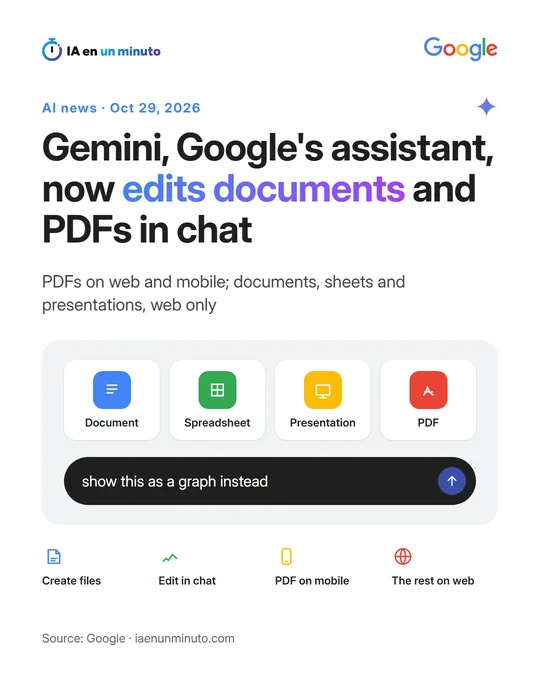
Gemini now lets you create a file, open it in full screen and change it without leaving the conversation. Users can also highlight a section and ask Gemini about it, or have it improved. PDFs can also be edited on a phone, but every other format, from presentations to code, works on the web only, and the feature is already reaching all users.
Google has added to the Gemini app the ability to generate, preview and edit files without leaving the chat: documents, PDFs, presentations, spreadsheets, code and other formats, according to its announcement, published on October 29. Users can open the file in full screen to type the changes themselves, highlight a passage to ask questions about it, or ask Gemini to improve it.
Editing comes with a limit that depends on the platform. PDFs can be previewed and edited both on the web and on mobile, but Google Docs, Google Sheets (Google's word-processing and spreadsheet apps), slide decks, Markdown and TXT files and code only work in the web version.
As an example, Google shows how to ask Gemini for a PDF study guide built from uploaded handwritten class notes. The text or the visual elements can then be touched up by hand, specific parts can be highlighted for Gemini to change, and users can keep asking it questions. The feature is already available to all users, in every language in which the Gemini app exists.
Why it matters · analysis and opinion
Editing inside the conversation itself spares, in principle, the step of copying what the assistant generates into another tool to fix it. Anyone working with presentations, spreadsheets or PDFs gains convenience, because they can ask for a change on the highlighted passage instead of rewriting the whole instruction. It is worth keeping the platform limit in mind: on mobile only PDFs work, so whoever works from a phone will not have the same editor as on a computer. And, as with any AI-generated file, checking the result before sending it to a client remains the person's job, not the assistant's.
Official source: Google · Written with the help of AI: how we make the news
What does it mean for your business? · analysis and opinion
This affects any small business or freelancer in Spain and Latin America who already uses the Gemini app to draft reports, proposals, presentations or spreadsheets, because the feature is reaching all users in every language the app supports. Those who work mainly from their phone will notice less of a change: on mobile, only PDFs can be previewed and edited, while Google Docs, Google Sheets, slide decks, Markdown and TXT files and code stay on the web version.
In practice, our advice is to try it with a small, real task: ask for a draft quote or presentation, open it in full screen, fix by hand whatever needs fixing and highlight only the paragraphs you want rewritten. That is a quick way to see whether it saves the step of copying and pasting between the chat and another application. It is worth checking figures, names and dates before sending anything to a client, because the content is generated by AI.
The announcement does not mention prices or plans, so there is no reason to think it changes what you already pay. The main risk is the usual one with assistants: the prudent thing is not to upload contracts, payroll or customer personal data without first checking the terms of use and privacy settings of the account you work with.