Obsidian adds official connectors for AI agents
IA en un minuto newsroom · Editor: Jon Elgezabal
In 30 seconds
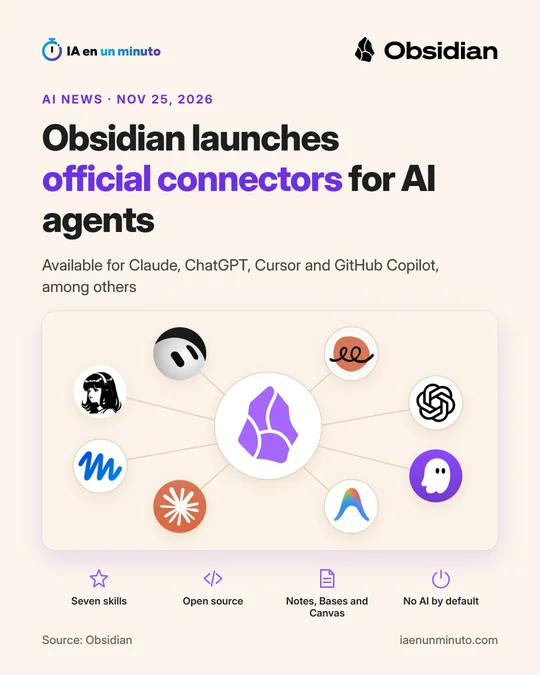
ChatGPT, Claude, Cursor and GitHub Copilot can now work with Obsidian notes thanks to connectors the company presented on 25 November. The seven open-source skills behind them teach agents to write notes, set up Bases and Canvas files or operate the desktop program. Obsidian warns that whatever the agent reads is processed by its model, and the app itself still comes without AI.
Obsidian, the notes app that stores each text as a file on its user's own machine, has had official connectors for AI agents since this week, meaning assistants able to carry out tasks on their own.
The company unveiled them on Wednesday 25 November on X. Its help page says they let those agents into Obsidian and work with Claude, ChatGPT, Cursor, GitHub Copilot, Grok Bot and Muse, along with other apps. Each one is added from the agent's own plugin directory or marketplace; in ChatGPT, the same plugin also covers Codex and Dots.
Underneath sit seven skills, sets of instructions through which an agent learns to do something, released as open source on GitHub. With them, an agent can draft notes in Obsidian's own format, build Bases (filtered views of notes with formulas) and Canvas files (visual boards), and look up, read and organise notes. The format skills work in any agent able to read and write files in the notes folder; others rely on separate tools to sync and publish without the desktop app, pull the text out of web pages or fill in templates.
For an agent to drive the app from the command line, the desktop program has to be open, with that feature switched on in its settings, and the agent has to be allowed to run commands on the computer. The documentation for that tool states that the delete command moves a file to the trash unless told otherwise; wiping it for good is a separate option, and the skill tells the agent to leave it alone unless the user requests it. In Muse, which runs in Meta's cloud, that part does not work.
On privacy, Obsidian explains that the connectors send nothing on their own. Even so, whatever the agent reads from the notes enters the conversation and is handled by whichever AI model is being used, so the company advises checking the agent's privacy policy before opening sensitive notes to it.
The app still ships without built-in AI, and not using it remains the default, as BetaNews notes.
Why it matters · analysis and opinion
With these connectors, the company itself sets how an assistant should handle its formats and its program, instead of leaving each agent to guess. That matters most for anyone who already keeps their work documentation there: the agent will be able to sort and search that archive while the files stay on the computer. The catch is in the small print, because whatever the agent reads travels to the model provider, so the privacy boundary is no longer drawn by the app but by the chosen assistant. Before switching it on, it makes sense to set aside notes with client data or confidential information and to start with an agent that cannot run commands. The decision not to build in AI of its own also says something about the market: Obsidian would rather be the store that any agent can read.
Official source: Obsidian · Written with the help of AI: how we make the news