OpenAI begins rolling out ChatGPT conversation locking with a PIN, Face ID or Touch ID
IA en un minuto newsroom · Editor: Jon Elgezabal
In 30 seconds
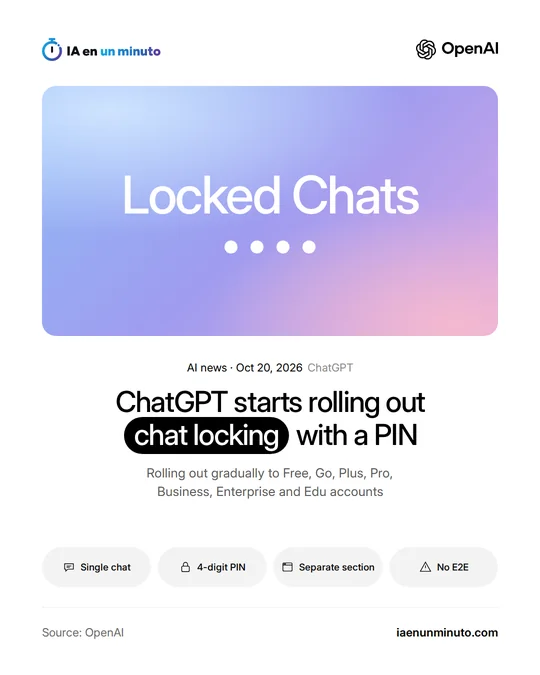
ChatGPT now lets users hide individual conversations behind a four-digit PIN or, on compatible phones, behind Face ID or Touch ID, taking them out of the history and search. OpenAI warns that this is not end-to-end encryption and does not alter how long the chat is stored. If a forgotten PIN is reset, every protected chat and its files are wiped for good.
On Tuesday, October 20, OpenAI began rolling out locked chats (Locked Chats) in ChatGPT, a feature that puts a lock on specific conversations. The change appears in its release notes for that day and on the feature's help page.
Each chat is locked separately from the conversation's options menu (•••) and is opened with a four-digit PIN tied to the OpenAI account. On compatible phones, Face ID or Touch ID (unlocking by face or fingerprint) also works on iOS, as does the device's own unlock method on Android. Protected conversations disappear from the regular history, pinned chats and search, and move to their own section, Locked chats, inside Projects. Unlike temporary chats, which open a separate session that is not kept in the history, locked ones can be revisited at any time, as TechCrunch points out.
In its help page, OpenAI explains that locking a chat does not apply end-to-end encryption or create a separate encrypted vault, does not change how long the company keeps the conversation or the setting that lets it be used to improve the models, and does not erase what ChatGPT had memorized before the lock. If the PIN is forgotten and reset, all locked chats and the files protected only by the previous PIN are permanently deleted; not even OpenAI's support team can recover them, and a workspace administrator cannot reset anyone's PIN. Changing the PIN, by contrast, deletes nothing.
The help page lists the feature as available on the Free, Go, Plus, Pro, Business, Enterprise and Edu plans, but not on ChatGPT for Healthcare. It is arriving gradually on the web, in the iOS and Android apps and in the new desktop app for macOS and Windows, so it may not show up in every account yet. Codex conversations cannot be locked, and according to TechCrunch neither can temporary, archived or group chats, chats created from a shared link, or chats with scheduled tasks or meeting recordings.
Why it matters · analysis and opinion
Until now, anyone who wanted to keep a sensitive conversation away from prying eyes had two options: delete it or use a temporary chat that leaves no trace in the history. Locking adds a third that keeps the content and hides it, useful for anyone who shares their screen, lends their laptop or hands their phone to a relative. But it is important to be clear about what it is: a curtain, not a safe. The conversation is kept under the same rules as any other and is not end-to-end encrypted. The practical risk lies in the PIN: anyone who forgets it and resets it will lose everything protected. Before locking anything important, the sensible step is to store the PIN in a password manager and keep whatever cannot be lost outside ChatGPT.
Official source: OpenAI · Written with the help of AI: how we make the news
What does it mean for your business? · analysis and opinion
This affects any freelancer or small business in Spain or Latin America that already works with ChatGPT, whether on Free, Go, Plus or Pro accounts or on Business, Enterprise or Edu. It makes the most sense when a laptop or phone is shared at the office, in the shop or at home, or when the screen is shown to a customer. Anyone using ChatGPT for Healthcare, the version for the health sector, is left out for now.
Our advice is to treat it as a layer of discretion, not as a security measure. Locking does not encrypt the conversation, does not change how long OpenAI keeps it and does not touch the "improve the model for everyone" setting, so it is worth reviewing that setting separately and still avoiding pasting customer data that should not leave the company. It also does not erase what ChatGPT had already saved to its memory before the chat was locked, so the prudent step is to go through that memory if something sensitive has been discussed.
The clearest risk is losing information: resetting the PIN permanently deletes all locked chats and their files. It is wise to keep anything that must be preserved outside ChatGPT and to choose a PIN that will not be forgotten. In addition, temporary chats, archived chats, group chats, chats created from a shared link, chats with scheduled tasks and chats that include meeting recordings cannot be locked, and the feature is arriving gradually, so it may not appear in every account yet.