Copilot in OneDrive analyzes multiple files at once, organizes folders and creates interactive reports
IA en un minuto newsroom · Editor: Jon Elgezabal
In 30 seconds
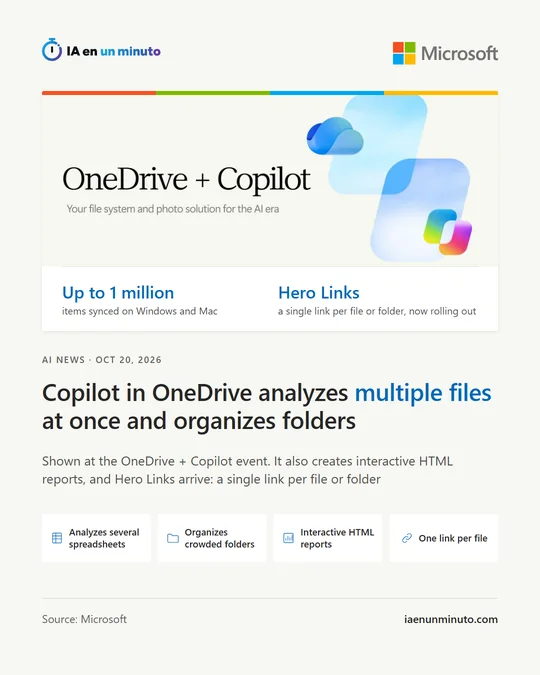
Microsoft is bringing to OneDrive a Copilot that analyzes several spreadsheets at once, tidies messy folders and builds interactive HTML reports from files that already exist. For sharing, each file will have a single link whose permissions change without sending it again, and sync reaches a million items. Copilot on the web is tied to a Microsoft 365 Copilot license.
Microsoft has unveiled new artificial intelligence features for OneDrive, its cloud storage service, at the "OneDrive + Copilot" event it held on Tuesday, October 20. According to Cyber Kendra, it is the fourth annual edition of this online event.
Copilot, Microsoft's AI assistant, was already built into Microsoft 365 apps such as Word, Excel and PowerPoint, and now it reaches the place where files are stored. Among the new features, it can analyze several spreadsheets together, with charts and the main trends picked out; sort a folder full of reports, studies, notes and plans into a sensible structure; and turn files and earlier work into something new, such as an interactive HTML report that can keep being adjusted with further instructions. It also lets users save a recurring process as a personal skill, in a Markdown file, so Copilot always does it the same way, and it debuts a gallery of ready-made prompts.
In the web version of OneDrive, Copilot requires a Microsoft 365 Copilot license. Microsoft's blog places these features within the general availability of Copilot in OneDrive and SharePoint, but according to Microsoft's notice to administrators (MC1459130, dated August 21), its expanded file capabilities have been in preview since late August, switched on by default with the option for administrators to turn it off for the whole organization, and general availability will begin in late December. The same notice says Copilot only works with content each user can already access and asks for review or confirmation before creating, moving, renaming, sharing or deleting files.
OneDrive is also improving how it handles HTML and Markdown files, two formats Microsoft considers essential for Copilot and AI agents. HTML files can be edited directly or in their code with a preview alongside, shown full screen and commented on; in Markdown files several people can write at the same time, with automatic saving, and the original .md file is kept.
Until now, a single file often ended up with several links, each for different people and with different permissions. With Hero Links, which are already rolling out, each file or folder has a single link by default: if access needs to change, the permissions are changed and the same link still works. Microsoft is also preparing controls to make them expire; for example, a policy can make links shared with the whole organization go back after 90 days to their secure setting, only for people who have been added.
OneDrive can also sync up to a million items on Windows and Mac, with just 8 GB of RAM according to Microsoft; the previous limit was 300,000, according to Cyber Kendra. For administrators there is a command-line tool that manages sync, in private preview.
For photos, Microsoft is introducing a new Photos app for Windows that gathers images and videos from OneDrive, the PC and iCloud Photos in a single gallery. With Copilot in OneDrive photos, people can search for moments by describing them in their own words and turn them into something new, such as a slideshow. A map view, AI editing and a space for making collages and cards are also arriving.
In its roadmap for the coming year, Microsoft is exploring the option of sharing a file with an agent, mentioning it and continuing to work with it through comments, as with a colleague, and says OneDrive will show which files were created with AI help and which agents took part. Microsoft says some of these features are already available and others will arrive in the coming months. The announcement gives no pricing details.
Why it matters · analysis and opinion
Copilot's leap in OneDrive is one of location: it stops working only inside the document open in Word, Excel or PowerPoint and moves to the folders where companies pile up their work. That changes the job of whoever prepares the same report every month from scattered spreadsheets, who will be able to save it as a recipe. The flip side is that Copilot will see everything each person has permission to open, and any folder shared too widely comes within its reach; Microsoft itself is preparing tools to detect that excess. Hero Links tidy up how links are handed out, but they don't fix what is already open. Before general availability, expected at the end of the year, it is worth reviewing who can see what in OneDrive and SharePoint and trying the preview features with a small team.
Official source: Microsoft · Written with the help of AI: how we make the news