Google Docs now lets you edit Markdown files without converting them, so people and AI agents can work together
IA en un minuto newsroom · Editor: Jon Elgezabal
In 30 seconds
Google is changing how its suite handles the Markdown format: Docs opens .md files and allows them to be modified as they are, without turning them into another type. Drive shows them laid out, tables and links included, or as plain text with one click. People and AI agents share a single file, with comments and a change history, and the feature is reaching every Google and Workspace account now.
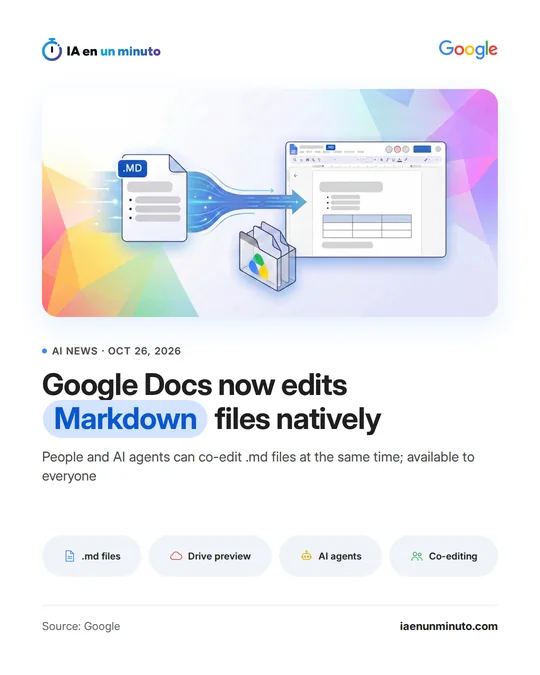
Google Docs now opens and edits Markdown files without converting them.
Google announced on Monday, October 26, on its developer blog, that Docs, its online document editor, can now be used to view, edit and collaborate on .md files (Markdown, a text format language models rely on heavily to keep tables, headings and lists) without changing the file type. Until now, working with them in Docs meant converting them by hand into another format. When one is opened, an .md label in the document header shows that the original file is being edited, which stays usable for programming tools and git repositories. In Drive, its storage service, these files can be previewed with formatting, tables and links included, or switched to plain text with no separate viewer.
People and AI agents can edit the same file at the same time, leave line-by-line comments, track suggestions and check a version history showing the changes each of them made. According to Google, the use of Markdown files in Drive has grown strongly over the past year, though it gives no figures. The announcement does not explain either how an AI agent connects to the documents.
It is already available to any Google or Workspace account: all it takes is uploading an .md file to Drive and opening it in Docs.
Why it matters · analysis and opinion
What matters is not that Docs reads one more format, but that it no longer forces a choice between the tool people use and the one agents use. Until now, text an AI assistant delivered in Markdown had to be converted to be reviewed in Docs and turned back into its format to go into a repository. For technical, product or documentation teams that already work with agents, the file becomes a single one, with its comments and its history. The practical side is missing: Google does not explain how a specific agent gets into the document, and it remains to be seen whether the format stays clean when people and machines edit it at the same time.
Official source: Google · Written with the help of AI: how we make the news
What does it mean for your business? · analysis and opinion
This affects any small business, freelancer or small team in Spain and Latin America that already works with Google Docs and Drive, whether with a free Google account or with Workspace, and that receives or produces .md files: for example, text returned by an AI assistant, technical documentation or notes that end up in a code repository. For those who do not use Markdown or AI agents, the change makes little difference.
In practice, you only need to upload an .md file to Drive to review it with formatting and open it in Docs without converting it, so the file still works with developer tools. Our advice is to try it first with a low-sensitivity internal document and check that tables, headers and lists look as expected before changing the way the team works.
The risk lies in permissions. If an AI agent can edit the same file as people, it makes sense to give it access only to the folders it needs, review its changes in the version history before signing off on a text, and use comments to keep a record of what has been accepted. Google does not mention any additional price: the feature comes to the accounts the business already has.