n8n introduces Nod, an open-source personal agent that works on the computer, in preview
IA en un minuto newsroom · Editor: Jon Elgezabal
In 30 seconds
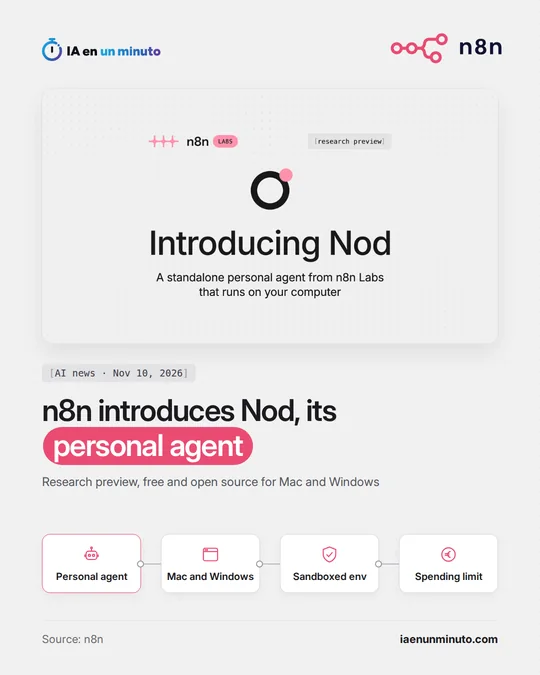
Nod is the bet from n8n Labs to let a single person hand chores to an agent installed on Mac or Windows, with no n8n account. Gmail, Calendar or Slack fall within its reach, and so do websites without an integration, thanks to its own browser placed inside a virtual machine. Apache 2.0 is the licence for its code and the app costs nothing, although each user pays a provider for the AI model.
n8n, the automation company, has presented an AI agent meant for a single person and kept apart from its main product.
It is called Nod and comes as a research preview from n8n Labs, a new team at the company set up for experiments. It is a standalone, open-source app, under the Apache 2.0 licence, for Mac and Windows, and it needs no n8n account. It runs with its own browser inside an isolated virtual machine on the computer, both in connected apps such as Gmail, Calendar, Drive or Slack and on websites without an integration: cancelling a subscription, keeping an eye on a price or downloading invoices. Requests can be made from the app itself or through Telegram or WhatsApp, and recurring jobs can be put on a schedule.
It is free, but each person pays the AI provider of their choice, with an API key or a ChatGPT plan, or can run an open model on their own computer. Every task shows what it cost, Nod asks for confirmation once one goes over $5 (an amount that can be changed) and each scheduled job displays its estimated monthly cost.
Before sending, paying, posting or deleting anything it was not asked to, a separate check confirms that the user requested it. n8n acknowledges that this check is also a model and can get things wrong.
Why it matters · analysis and opinion
The most striking thing is not what it does but how it holds back. An agent that visits websites, fills in forms and uses its owner's card is useful exactly to the extent that it does not make mistakes, and Nod separates the decision to act from the check that it was asked to. The company admitting that this second layer can also fail is a sensible warning, not a minor detail. It also says something about the market: an automation firm built for teams is trying its luck with the individual user, the freelancer or household errands. Anyone who wants to try it would do well to start with reversible tasks, review the log of what it does and set the spending threshold before leaving anything on a schedule.
Official source: n8n · Written with the help of AI: how we make the news
What does it mean for your business? · analysis and opinion
The people who may find Nod most useful are freelancers and those who run a small business alone in Spain or Latin America and lose hours on repetitive tasks: logging into supplier portals every month to download invoices and hand them to an accountant, or copying figures from a dashboard that does not let you export them. It is not designed for teams, because each installation has a single owner; for a company's shared processes, n8n itself is the tool to use. Also, today it requires connecting an API key, a ChatGPT plan or an open model on the computer itself, so it suits best those who are already comfortable with that kind of setup.
Since this is a research preview, the sensible approach is to try it first with a low-risk task and without giving it access to the company card yet. It is worth checking from day one the estimated monthly cost that each scheduled job displays and adjusting the alert that triggers once a task passes $5, because some early testers saw costs higher than they expected. It is also worth keeping in mind that, on a laptop, it stops when the computer goes to sleep.
The main risk lies in delegating actions with consequences, such as paying or sending emails. n8n itself admits that its permission check can make mistakes, so our advice is to review often the log of actions and costs that Nod keeps and to connect only the essential accounts.