Perplexity Launches Teammates, Always-On AI Agents for Ongoing Work, in Its Max Plan
IA en un minuto newsroom · Editor: Jon Elgezabal
In 30 seconds
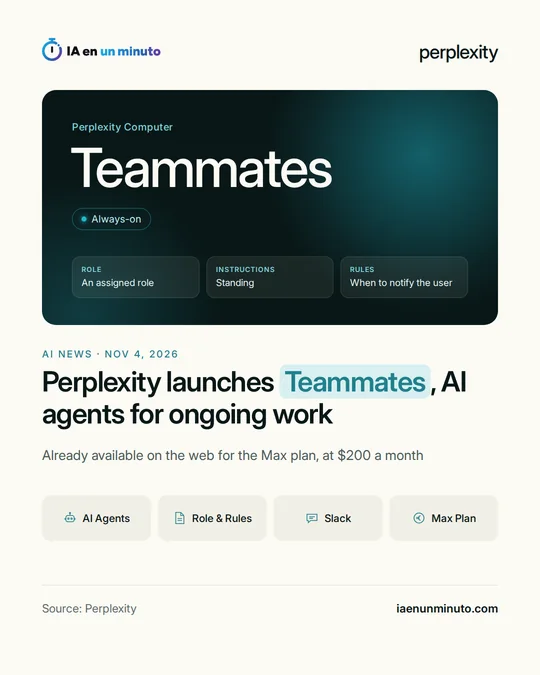
Perplexity is rolling out Teammates, agents that take on long-running projects, remember earlier work and follow up without waiting for a new query. Slack lets colleagues hand them tasks, and they also split work among themselves. Perplexity Max, at $200 a month, is the plan that gives access, free during a promotion and then in exchange for the credits it includes.
Perplexity has launched Teammates, AI agents built to take charge of long, continuous work instead of one-off tasks. They organize and coordinate projects, change course when priorities move and hand back results for the user to check, and the user can follow and steer what they do as it happens. They also keep an eye on work in progress and act when something changes, without waiting to be asked again.
They operate inside Perplexity Computer, the company's environment for working with agents, and draw on the projects, skills and memory it already had: they keep track of goals, past tasks and shared files from one run to the next. According to Free Press Journal, which cites the product page, each one can be assigned a role, standing instructions and rules about when to alert the user, and each one gets its own desktop and browser.
The agents can pass work to one another, and once one is added to a Slack channel, coworkers can give it tasks or check how something is going. Each one operates in its own isolated environment, under the tool and project permissions Computer already had, and the user can review finished work, take control of the desktop or point it in a new direction. Perplexity offers examples in marketing, sales, customer support and operations.
For now it is on the web for Perplexity Max subscribers, with iOS to follow soon. Free Press Journal specifies that Max costs $200 a month, that Teammates can be used free of charge for a promotional period and that, after that, it will draw on the credits the plan already includes. The company says it will widen access and add features over the next few weeks.
With this launch, Perplexity takes on similar offerings such as Dots, which OpenAI introduced on September 29, and Anthropic's Duet, in research preview since October, according to the same outlet.
Why it matters · analysis and opinion
The jump from agents that answer a request to agents that stay in charge of a job is the bet of the moment: Perplexity arrives after OpenAI and Anthropic, and does so on top of its own environment, Computer. The practical difference for a team is that it is no longer about asking for something and waiting for the answer, but about delegating a whole function and supervising it. That calls for a different way of organizing: defining clearly what each agent can do, which tools it can reach and when it must ask before acting. On price, it is for now an offer for heavy users; what it costs once the promotion ends will decide whether it pays off against the alternatives.
Official source: Perplexity · Written with the help of AI: how we make the news
What does it mean for your business? · analysis and opinion
For now, Teammates will only interest those who already pay for Perplexity's Max plan, which costs $200 a month, or who are considering paying for it. For most freelancers and small businesses in Spain and Latin America, that is a lot of money for a trial, and anyone on the free plan or a lower tier does not have access. In addition, for now it only works on the web: the mobile and desktop apps have not arrived yet.
If you already have Max, the free promotional period is a good time to try it with a narrow, easy-to-check task, such as following a research topic or preparing a periodic report. Our advice is to carefully write the rules for when the agent has to notify you, so it asks for permission before any sensitive step, and to keep track of how many credits it uses, because once the promotion ends they will come out of those included in the plan.
The main risk lies in permissions. Each agent has its own desktop and browser and uses the same plugins and permissions the user has installed, so it reaches everything that account can reach. It is wise to check beforehand which connections are active, remove the ones that are not needed and watch the first messages it sends to colleagues on Slack. If the account handles customer data, it is a good idea to limit what information the agent can access.