Google starts bringing Gemini to Apple CarPlay for voice conversations while driving
IA en un minuto newsroom · Editor: Jon Elgezabal
In 30 seconds
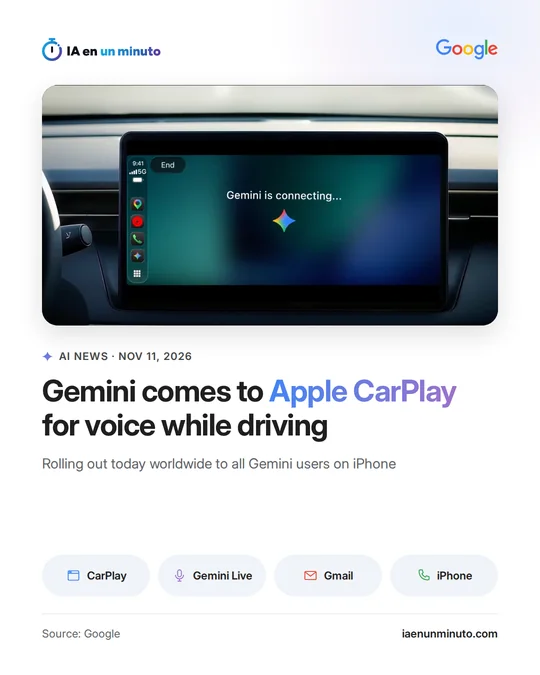
Gemini Live, Google's voice mode, can now be opened from the Apple CarPlay screen to talk with the assistant while driving. Gmail and Google Calendar are linked, so it can go over the schedule, sum up pending messages and draft spoken replies. Gemini users on an iPhone get it from today in any country, although the daily summary does not work in the European Economic Area.
Google has started rolling out the Gemini app on Apple CarPlay, the system that mirrors the iPhone on the car's screen. It comes after the company brought it to Android Auto and to cars with Google built in.
A tap on an icon on the CarPlay screen or its side rail opens Gemini Live, the voice conversation mode, with no need to touch the phone. Drivers can resume a recent chat or begin a new one, cut in to add a detail, switch topics or pause. Because it is connected to Gmail and Google Calendar, the assistant can go over the day's schedule, summarize unread messages or long threads and help dictate a reply. Google mentions other uses, such as asking for places to eat near the destination or rehearsing a presentation out loud. Whatever is said in the car is kept in the chat history of the iPhone app.
The rollout begins today worldwide for every Gemini user on iOS, in all the languages Gemini Live supports. Using it requires the latest version of the app, microphone access and having tried Gemini Live on the phone at least once. The Daily Brief summary has to be switched on beforehand and, according to Google, is not offered to people under 18 or in the European Economic Area and Nigeria. The announcement says nothing about price.
Why it matters · analysis and opinion
Car assistants spent years limited to playing music or asking for a route; what is new is that Google is putting into CarPlay, Apple's turf, one that can work with email and the calendar. Bringing it to a rival's system suggests it would rather be where iPhone owners already drive than wait for them to switch phones. For people who spend a lot of time behind the wheel, the commute can turn into useful time, although it remains unclear how much attention a long conversation demands while driving. In Europe the experience will be thinner, because the daily summary is not available. Before relying on it, it is worth checking what access to Gmail and Calendar is being granted.
Official source: Google · Written with the help of AI: how we make the news
What does it mean for your business? · analysis and opinion
This update mainly interests freelancers, salespeople, technicians, and small business owners in Spain and Latin America who spend hours behind the wheel with an iPhone and already work with Gmail and Google Calendar. For them, the drive can be used to review the agenda, catch up on pending emails, or dictate a quick reply. Android users already had this through Android Auto, and anyone who keeps their email and calendar in other services will get much less out of it, since the point is the connection with Google's apps.
In practice, all that is needed is to update the Gemini app, grant microphone permission, and have tried Gemini Live on the phone at least once. Our advice is to try it first with the car parked, with simple questions about the agenda, and check that it understands client and project names well before relying on it on the road. It is also worth reviewing, once parked, the replies prepared by voice before considering them final, since conversations are saved in the history.
The main risk is not the cost, but discretion and attention. If someone else is traveling in the car, it is wise not to ask for summaries of emails with client data, budgets, or internal matters, since they are read out loud. And even though it is hands-free, a long conversation is also distracting: anything that requires deep thinking is better left for later.