Google brings the Gemini app to Android Go phones, the low-memory ones
IA en un minuto newsroom · Editor: Jon Elgezabal
In 30 seconds
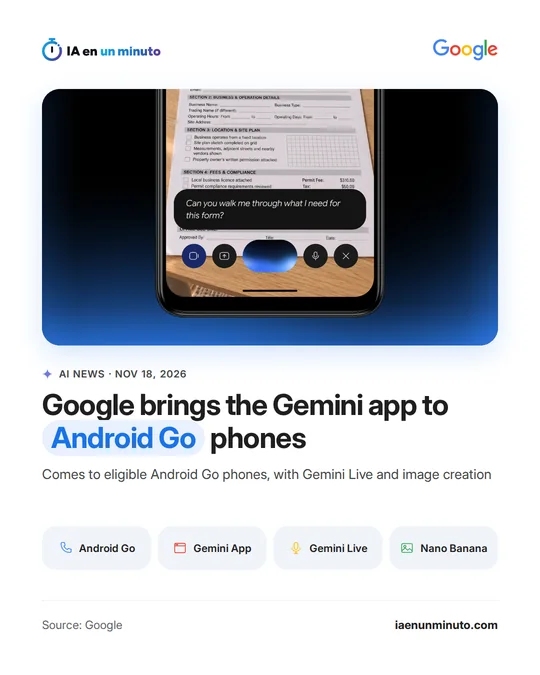
Google is bringing its Gemini assistant to Android (Go edition), built for phones with little memory, after rebuilding the app. Gemini Live lets people chat out loud in more than 45 languages, and Nano Banana makes images from a request. Transsion and other partners will ship it on their next devices; it is already on Google Play.
Google announced on Wednesday, November 18, that the Gemini app, its AI assistant, is coming to eligible phones running Android (Go edition), the variant of Android for phones with little memory. According to the company, one of these phones is how hundreds of millions of people around the world get online, study and work each day.
Until recently, the limits of that hardware left these phones with nothing more than basic voice commands. Google says it rebuilt the app's architecture so that the core of Gemini runs smoothly with less memory.
The app includes Gemini Live, the mode for talking to the assistant out loud (to rehearse a job interview, for example), in more than 45 languages; the option to aim the camera at notes or forms so it can explain or translate them; and image creation with Nano Banana, Google's image model, for something like a poster for a weekend bake sale.
It can be downloaded from Google Play or opened by pressing and holding the power button on compatible phones, and it will come preinstalled on upcoming devices from partners such as Transsion.
Google does not say which models are compatible, which countries it is reaching or whether there will be usage limits.
Why it matters · analysis and opinion
The race between assistants has so far been run mostly on phones with plenty of memory to spare. Bringing Gemini to the most modest end of Android opens up a huge audience for Google, people for whom one of these phones is their everyday way onto the internet, and having a manufacturer like Transsion install it at the factory gives it a head start. For users, the change is going from dictating one-off commands to holding a conversation or asking for help with a piece of paper they do not understand. What remains to be seen is how well the experience holds up on such limited hardware and which features get left behind on each model.
Official source: Google · Written with the help of AI: how we make the news
What does it mean for your business? · analysis and opinion
It mainly affects freelancers and small businesses who work with a cheap Android phone or have employees with low-end phones. Anyone who already uses a mid-range or high-end phone, or an iPhone, gains nothing new from this announcement. One note: Google refers to eligible Android (Go edition) devices, so not every model with that version will have it. In practice, the first step is to check whether the phone is compatible by looking for the Gemini app on Google Play or by pressing and holding the power button. From there, it can be useful for simple tasks: preparing a flyer for a weekend offer with Nano Banana, Google's image model, understanding or translating a form by pointing the camera at it, or practicing a conversation out loud with Gemini Live. Our advice is to try it first with something unimportant and always check what it returns before using it. The main risk lies in what is shown to the camera. A form with customer data, an invoice, or an identity document should not go through the assistant without thinking it over first; the sensible approach is to avoid showing other people's personal data. The source does not give prices or usage limits for these phones, so it is worth paying attention to which features actually appear on the phone itself.