Google starts connecting Wallet to its AI search and announces Drive and the Gemini app for the coming weeks
IA en un minuto newsroom · Editor: Jon Elgezabal
In 30 seconds
AI Mode, Google's AI search, can now read Google Wallet if the user allows it, and over the next few weeks it will add Drive and the Gemini app. With the wallet it helps trim spending and squeeze more out of cards, though without being able to touch the money. Connecting is optional and is managed from the search engine's personalization options.
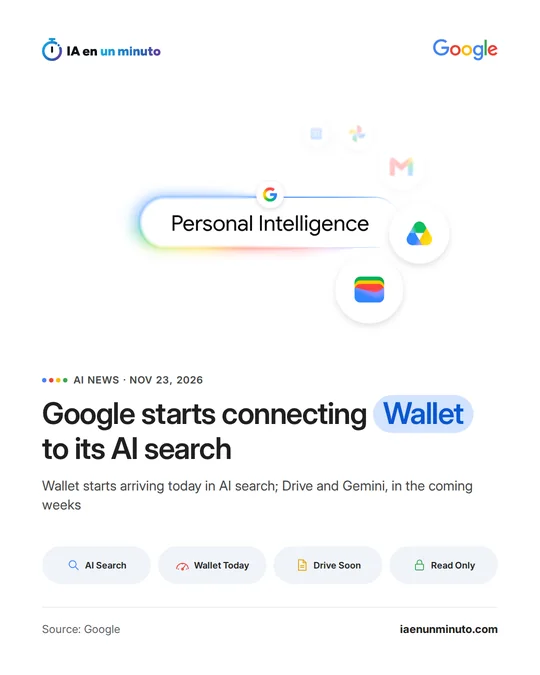
Starting today, Google is rolling out the option to link Google Wallet, the wallet that holds a user's linked cards, with Personal Intelligence, the feature that draws on data from a user's Google apps to fine-tune answers, inside AI Mode, its AI-powered search mode. Drive and the Gemini app will come over the next few weeks, adding to Gmail, Calendar and Photos, which could already be connected. Google does not say which countries it is available in.
With Wallet, search can help set financial goals, point out everyday spending that could be cut and get more out of what the cards offer, such as cash-back categories, travel benefits or points. It only has read permission: it cannot move, manage or invest money. With Drive it will take documents, spreadsheets and PDFs into account; Google's example is a plan to get ready for tax season. And with the Gemini app, context will flow both ways: whatever is explored in a Gemini chat will serve as a starting point in AI Mode, and the other way round. The Gemini app has been able to connect Wallet in the United States since November 13.
Connecting is voluntary: it is switched on in Search's personalization settings, under connected apps, and can be turned off at any time. Google adds that users will soon be able to see what context AI Mode relied on through an icon placed below each personalized answer, and that AI Overviews and AI Mode will start taking recent searches into account, so that planning a trip, for example, can be picked up again without starting from scratch.
Why it matters · analysis and opinion
The move brings to search what until recently belonged to the assistant: Google answering with your spending and your documents, not just with what is on the web. For users, the decision is easy to make and hard to weigh, because access is read-only, yet combining financial data, documents and conversations gives the search engine a very complete portrait of each person. For a retailer or a card issuer, it suggests that comparisons of perks and spending will start happening inside AI Mode, with the customer's own data at hand. Which countries it reaches is still unknown. In the meantime, it is worth checking one by one which apps get connected before accepting, and disconnecting the ones that add nothing.
Official source: Google · Written with the help of AI: how we make the news
What does it mean for your business? · analysis and opinion
Those most affected are freelancers or small business owners who use the same Google account for their personal life and their work, with invoices, budgets, or contracts in Drive and work conversations in the Gemini app. The announcement does not detail in which countries each connection arrives, so in Spain and Latin America it is worth checking in the settings whether it already appears before assuming it is available. For anyone who does not use AI Mode or does not turn on the connection, nothing changes: it is voluntary and can be turned off at any time.
Our advice is to think about what is in each app before connecting it. If client documents and personal papers coexist in Drive, the prudent approach is not to connect it until the professional side is separated into another account, or at least to review which files contain third-party data. On Wallet, Google clarifies that AI Mode only reads information from the accounts and cannot move, manage, or invest money, which limits the risk; even so, we think its spending suggestions are guidance, not advice.
Turning it on is simple; the risk lies in sharing more than necessary. It is enough to open the Search Personalization settings, go into Connected Apps, and choose only the essential apps. Google announces that soon there will be a "Personalization" icon under each tailored response to see what context was used, and it is worth checking it from time to time.