GPT-6 Pro adds parallel agents in ChatGPT
IA en un minuto newsroom · Editor: Jon Elgezabal
In 30 seconds
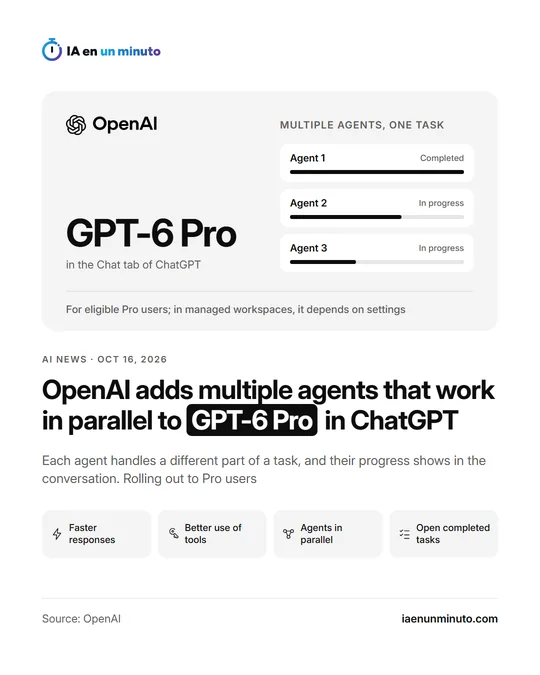
OpenAI announced on Friday that GPT-6 Pro, in the Chat tab of ChatGPT, can now split a job among several agents that move forward at once. Each one shows how it is doing in the chat and, once done, its work can be checked. The version also answers more quickly and makes better use of plugins and tools, and is reaching the Pro plan gradually.
OpenAI has updated GPT-6 Pro, the model that ChatGPT Pro plan users have in the Chat tab. The company describes the change in its release notes for Friday, October 16: the model can now hand separate parts of the same task to several agents so that they work at the same time.
While the agents are working, their progress shows up in the conversation itself. When they finish, each completed task can be opened to check what each one has done.
The update also brings faster answers and more effective use of plugins and tools when carrying out tasks.
The rollout is gradual and is reaching Pro plan users who meet the requirements. In managed workspaces, whether it is available depends on how they are set up and on whether they are part of the rollout.
In the same notes, on October 7, OpenAI had introduced GPT-6 in ChatGPT, with answers that combine text, visuals and interactive elements. At the time it pointed out that the Pro reasoning option was still running on GPT-6 Astra and did not support that new interface.
The notes do not say how many agents can work at once, how much faster the answers are or whether the change affects the plan's usage limits.
Why it matters · analysis and opinion
Until now, asking an assistant for something long meant waiting for it to work through it step by step. Splitting the work among several agents brings the chat closer to how a team is organized: each part moves forward on its own. Being able to open each finished task matters as much as the speed, because it makes it possible to check where each result comes from before accepting it. There are open questions for daily use: how many agents it allows, whether it uses up more of the plan and when company workspaces will turn it on, since that depends on their administrator. Anyone already paying for the Pro plan can try it with jobs that split up clearly, such as reviewing several documents or comparing suppliers, and measure whether it really saves them time.
Official source: OpenAI · Written with the help of AI: how we make the news